Create a job
Open in SeekrCreate a job with the Add Job wizard, let AI fill in the details, or accept a job proposal from an email.
The Add Job wizard takes you from a job title to a complete job with a description, and AI fills in most of the detail for you.
Start a new job#
- Click Add in the top right of the Jobs (or Candidates) page.
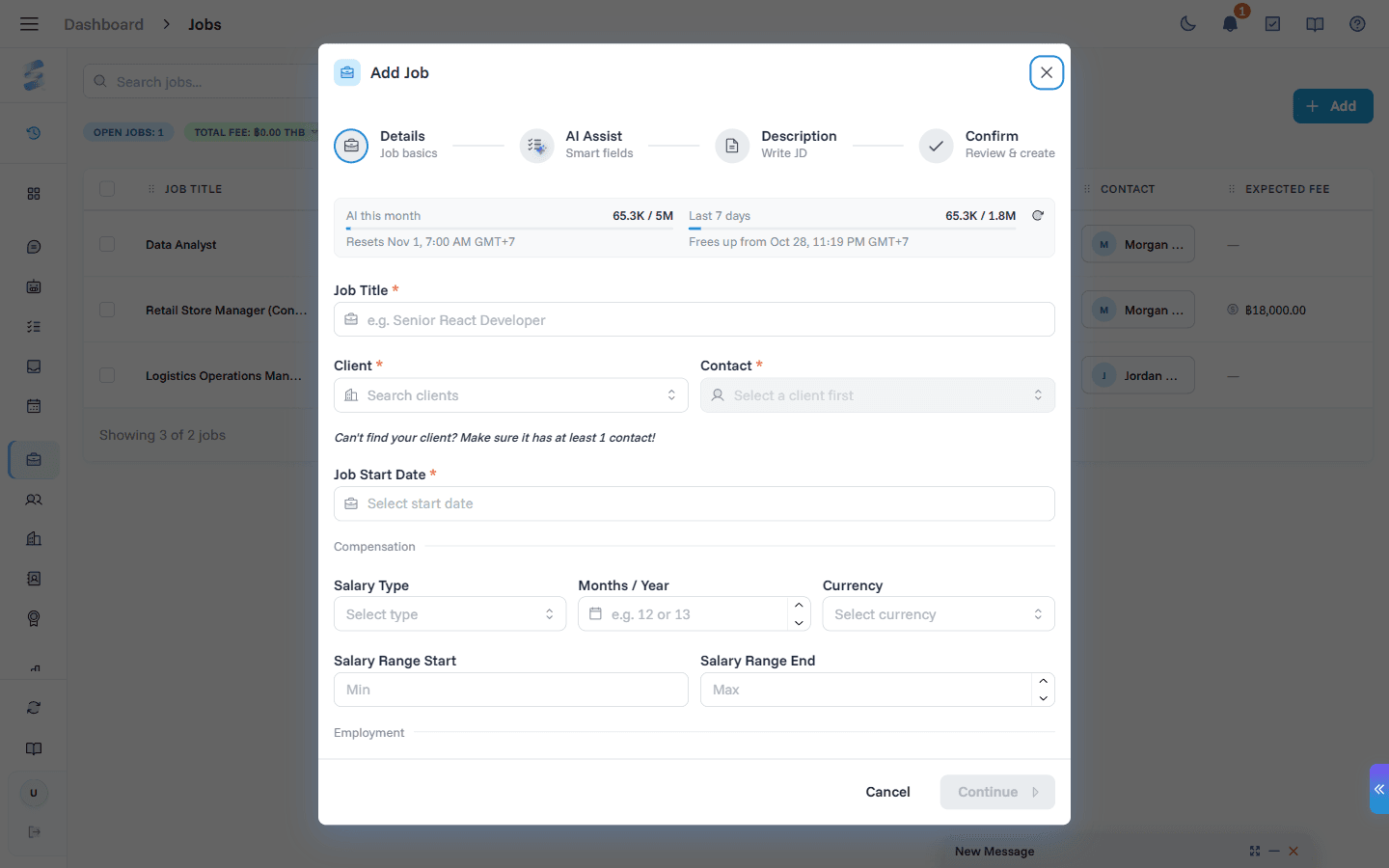
- Under Job, click AI Entry. The Add Job window opens with four steps: Details, AI Assist, Description and Confirm.
Fill in the job details#
On the Details step:
- Enter the Job Title, pick the Client and the Contact at that client, and set the Job Start Date.
- Under Compensation, set the Salary Type, Currency and Salary Range Start / End. Tick Salary is negotiable if it is.
- Under Employment, pick the Employment Type. For a contract job, fill in the Contract terms: the Contract duration (months) (or Open-ended contract), the Client day rate and the Candidate day rate. Seekr shows the Expected fee.
- Under Fees, enter the Fee Percentage; the Fee Value is calculated for you. Set the number of Openings.
- Under Visibility, tick Confidential job to keep the job out of public job feeds.
- Click Continue.
Let AI fill in the rest#
On the AI Assist step, AI reads what you have entered and suggests the Industry, Job Function, Job Sub-function, Application Deadline, Role Difficulty and Required Skills (up to 15). Keep the window open while it works.
- Check each suggestion and change anything that is off. Drag the Role Difficulty slider, or type a number from 0 to 100.
- Click Continue.
Write the job description#
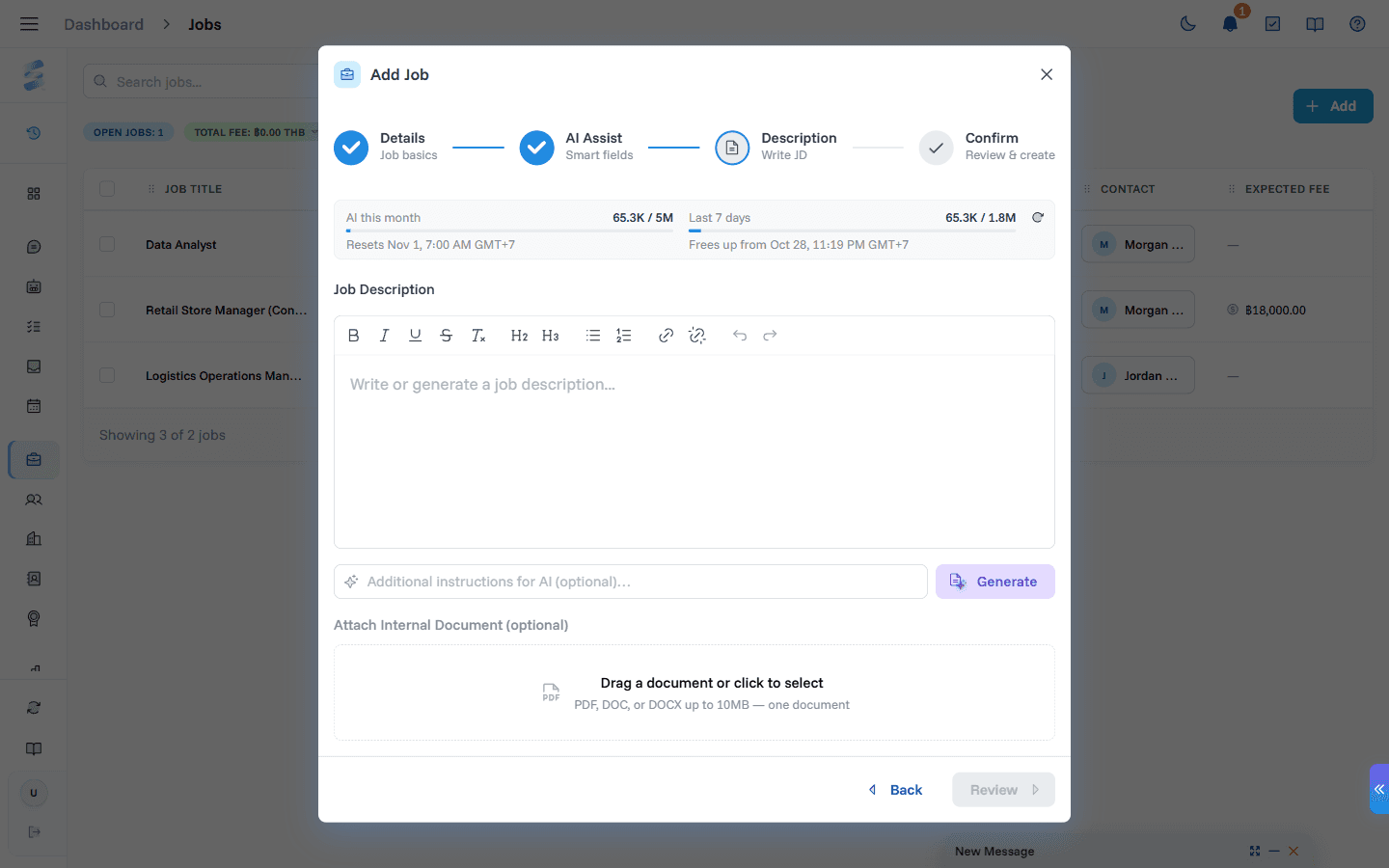
On the Description step:
- Optionally type extra instructions for AI, such as "keep it under 300 words".
- Click Generate to write the description, then edit it as you like.
- Optionally drop a file under Attach Internal Document (optional). AI uses it when writing the description, and it is kept on the job's Documents tab.
- Click Review.
Confirm and create#
The Confirm step summarises the job under Job basics, Compensation, Classification and Description. Click Back to change anything, then click Create Job.
Accept a job proposal from an email#
When a contact emails you a job description, Seekr can draft a job proposal from it.
- Open Jobs. A banner lists the job descriptions received by email, with the sender, subject and date.
- Click Review on a proposal. The Add Job wizard opens, already filled in from the email.
- Check each step and click Create Job.
Click Dismiss to remove a proposal you do not want.