Clients
Open in SeekrAdd the companies you recruit for, read their details and see which ones need attention.
Clients lists the companies you recruit for, with their contacts, jobs and documents, and a health score that shows which ones are going quiet.
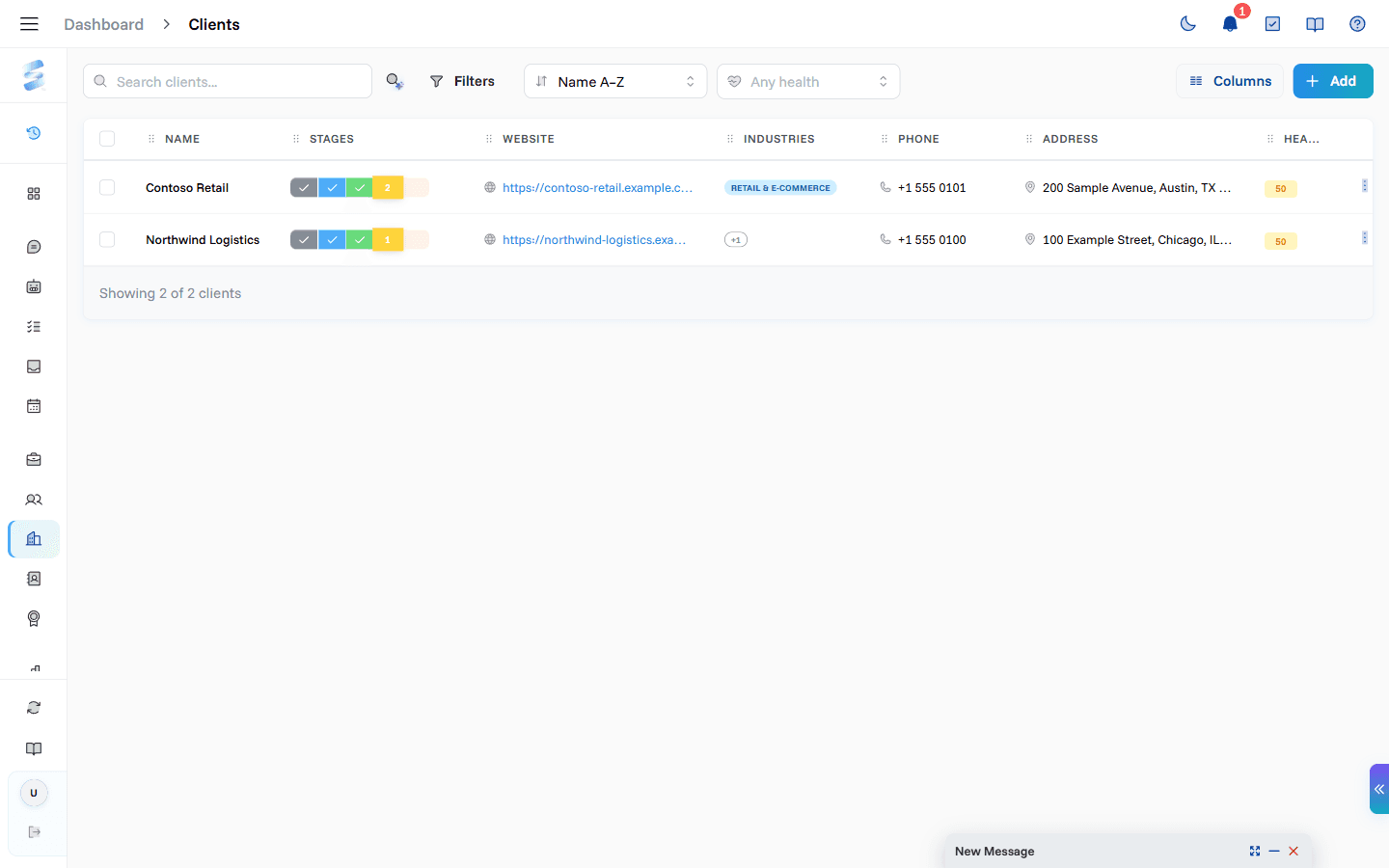
Open the client list#
- Click Clients in the left menu.
- Type in Search clients... to find a company by name. Turn on AI Smart Search to search in plain words instead, for example "fintech companies in Bangkok".
- Use the sort menu to order by Name A–Z, Newest first, Health: lowest first or Health: highest first, and the Any health filter to show only some health bands.
- Click Columns to choose which columns you see.
- Click a row to open that client.
Add a client#
- Click Add in the toolbar and choose Client → AI Entry. The Add Client window opens.
- Enter the Company Name and Location, then let Seekr search for the company.
- If it finds the right company, select it and click Proceed with AI. Seekr looks up the company's branches, description and logo for you. Otherwise click Proceed Manually.
- Check the details: branches (use Add Branch, and mark the head office as HQ), Website URL, Description and Industries.
- Click Review, then Create Client.
Read the client detail page#
The client page has an Actions button at the top and these tabs:
- Basic Information: company details, branches and the health score.
- Contacts: the people you deal with at this client.
- Jobs: the client's jobs. Use Show active only to hide closed ones.
- Documentation: Terms of Business and other agreements for this client.
- Connected: candidates linked to this client, and its relationship network.
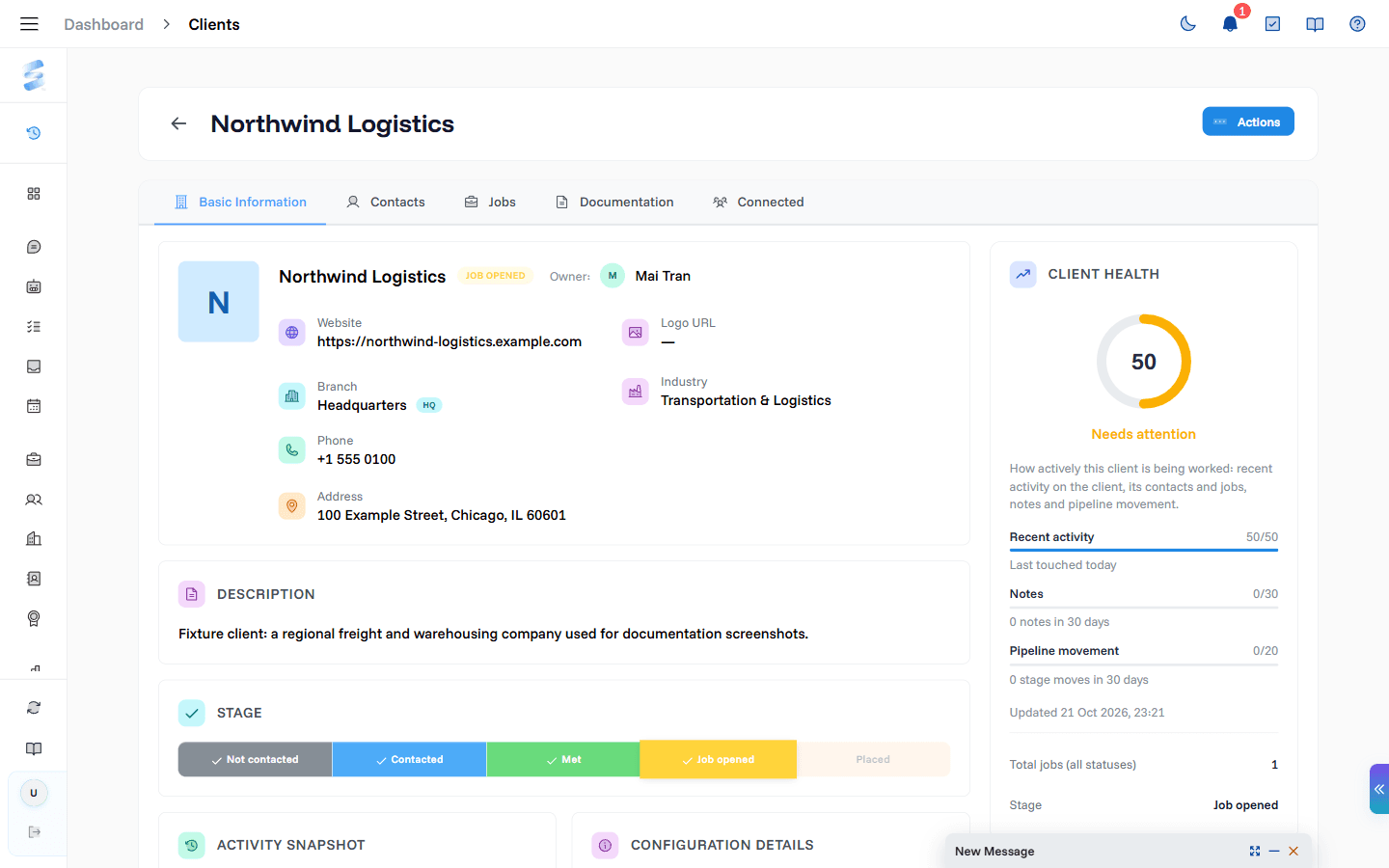
From Actions you can Edit Information, Add Contact, Add Job, Generate Terms of Business, Claim Ownership of a client nobody owns, or Delete Client.
Check the health score#
The Client Health card shows a score out of 100 and how actively your team is working the client. It is based on three things:
| Factor | Up to |
|---|---|
| Recent activity on the client, its contacts and its jobs | 50 points |
| Notes in the last 30 days | 30 points |
| Pipeline movement in the last 30 days | 20 points |
The score falls into one of three bands:
- Healthy: 70 or more.
- Needs attention: 40 to 69.
- At risk: below 40.
In the client list, click the badge in the Health column to see the same breakdown.